
|
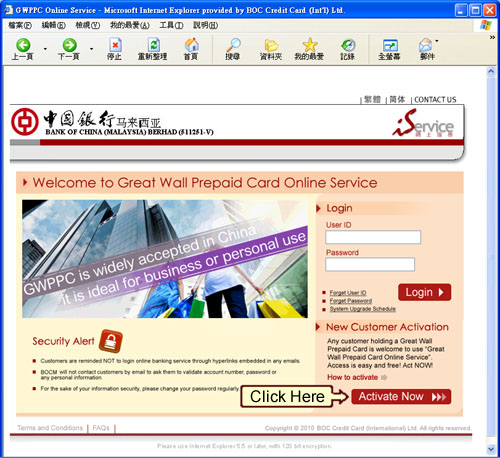 |
STEP 1 Click on "Activate Now" |
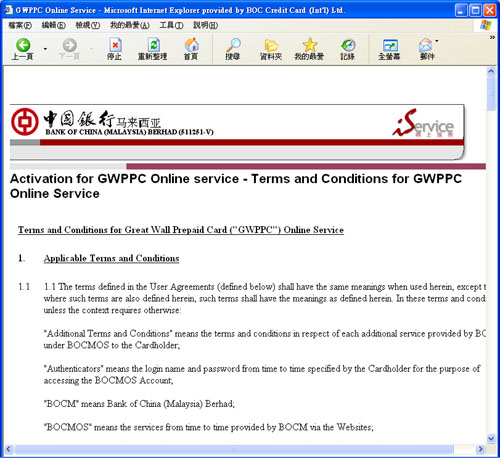 |
STEP 2 Please go through the Terms and Conditions for GWPPC Online Service in details |
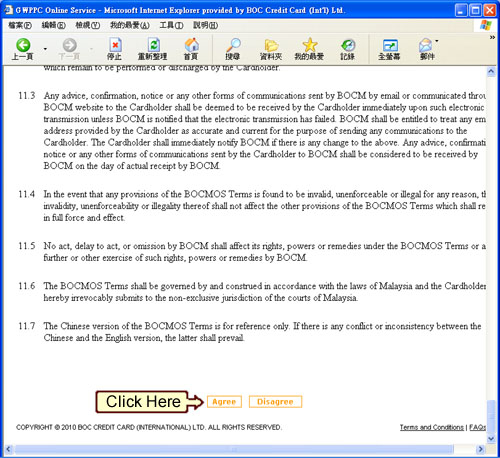 |
STEP 3 If you agree on the terms & conditions, please click on the "Agree" button at the bottom to proceed. |
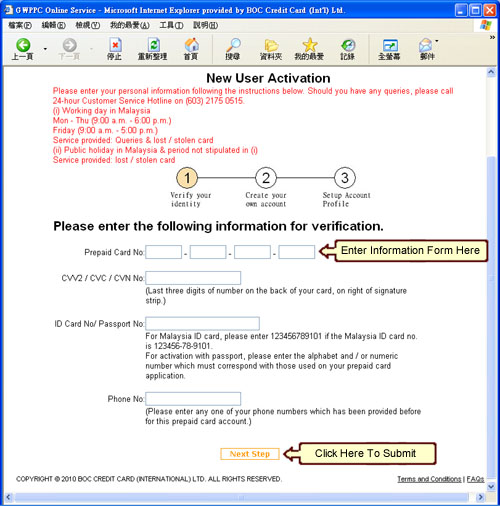 |
STEP4
|
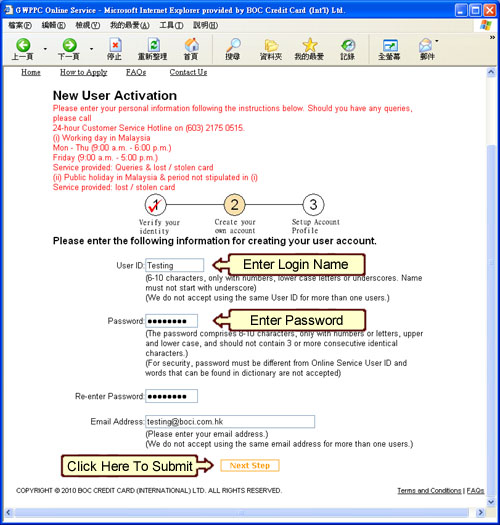 |
STEP5
|
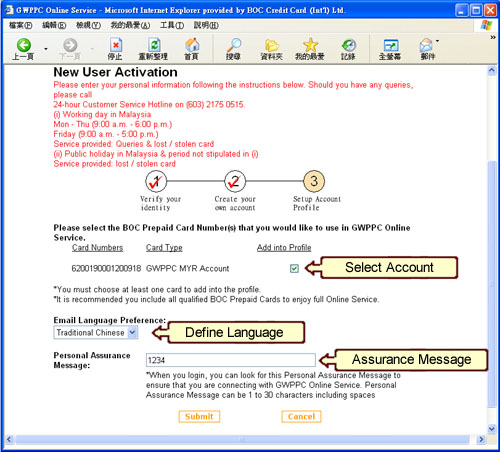 |
STEP 6
|
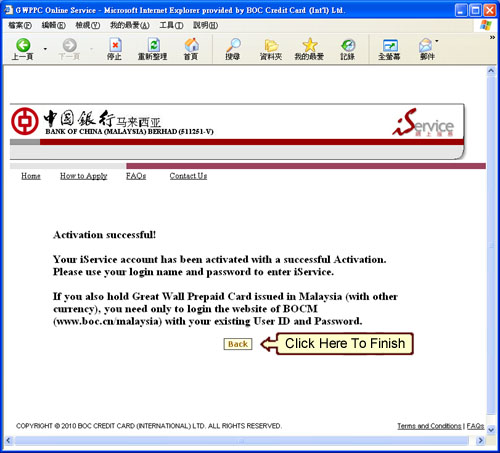 |
STEP 7 Successfully registered. iService account activated. |